What you’ll learn:
  • What forking is
  • How to fork servers
  • Customization
Forking creates your own copy of an existing integration from the Metorial catalog. Start with a working server and customize the code to add features, modify behavior, or integrate with your systems.

What is Forking?

Forking duplicates an integration’s complete source code into your account. Your forked server is independent from the original and becomes a managed server that you control. Make any changes you want without affecting the original integration.
Benefits of Forking:
  • Start with a working implementation
  • Customize to your specific needs
  • No impact on the original integration
  • Deploy as your own managed server

How to Fork

1

Find Integration

Browse the Metorial catalog for a server you want to customize.
2

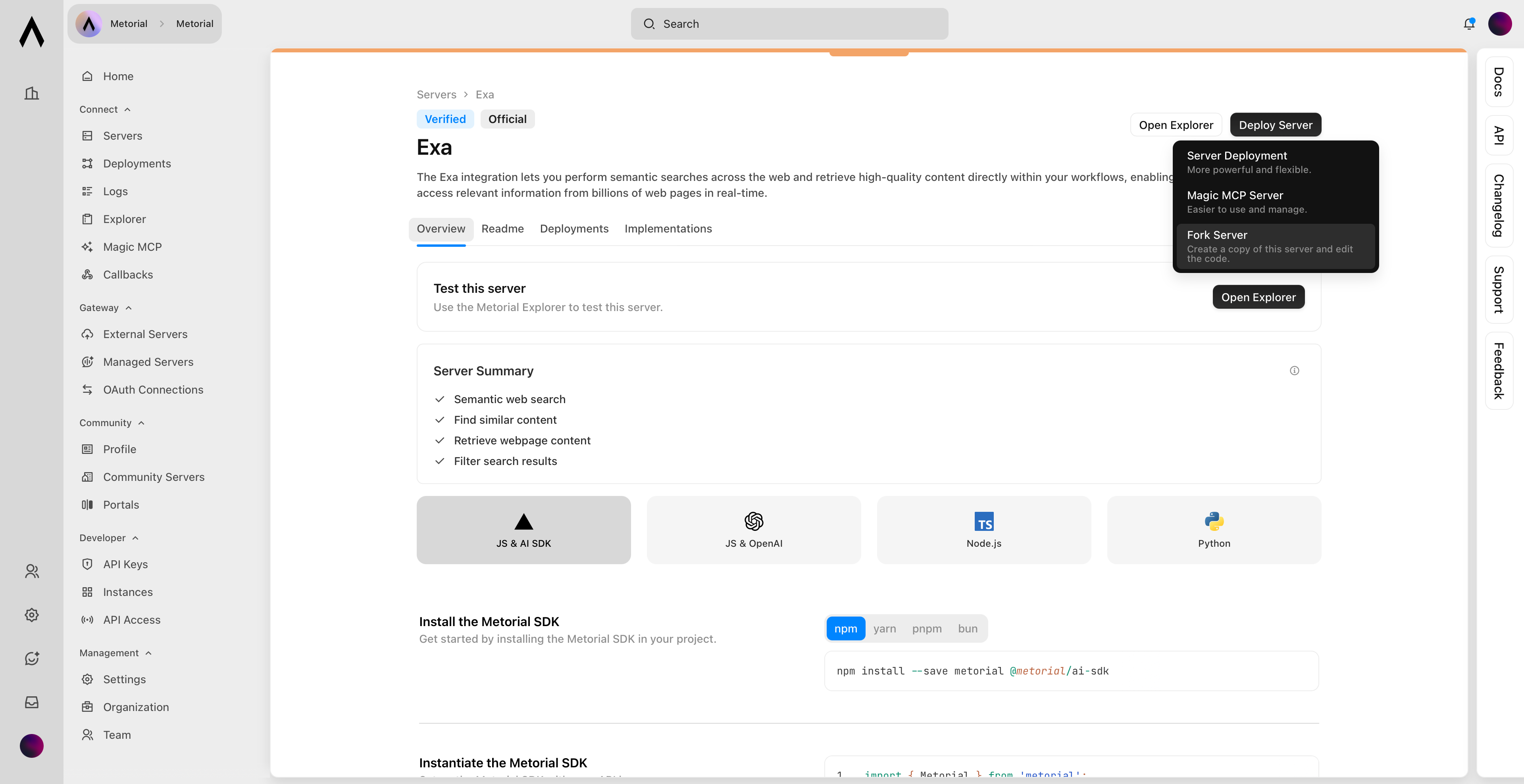
Fork chosen Server

Click on Deploy ServerFork Server.Fork server button
3

Edit Code

Access the code editor to modify your forked server.
4

Deploy

Deploy your customized version as a managed server.

What’s Next?