What you’ll learn:
  • How to edit forked code
  • Adding new tools
  • Testing changes
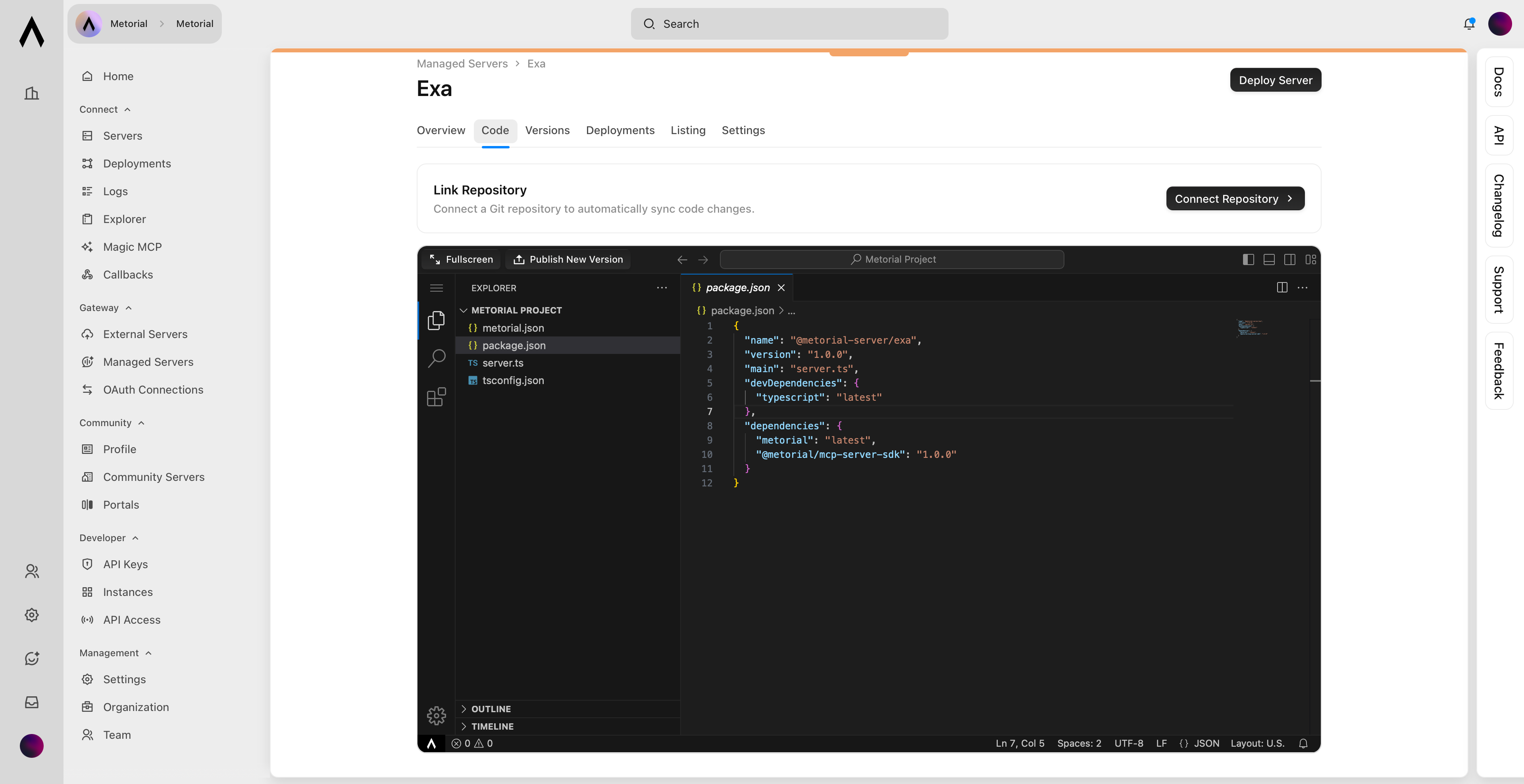
Edit your forked server’s code to customize tools, add new functionality, or integrate with your systems. Changes are deployed as a managed server.

Editing Forked Code

1

Open Editor

Open the code editor from your forked server’s dashboard or simply make the changes in your repository and push them.
2

Edit Files

Modify any file with syntax highlighting and autocomplete.
3

Save Changes

Changes save automatically as you edit.
4

Test

Test your changes in the editor before deploying.

Adding Tools

Define new tools by adding tool definitions and handler functions to your forked code. Tools follow the MCP specification with a schema defining inputs and a function implementing the logic.
Tool Structure:
  • Schema: Defines tool inputs and outputs
  • Handler: Implements the tool logic
  • Registration: Adds tool to your server
Modify existing tools by editing their handler functions or input schemas.

Deploy Changes

1

Review Changes

Check your code modifications in the editor.Upload code
2

Click Deploy

Deploy your customized server.
3

Build Process

Metorial packages your changes and runs tests.
4

Go Live

Your custom tools become available through the SDK.