

Viewing Logs
Access logs for your deployments through the Metorial dashboard:- Navigate to your deployment
- Select the Logs tab
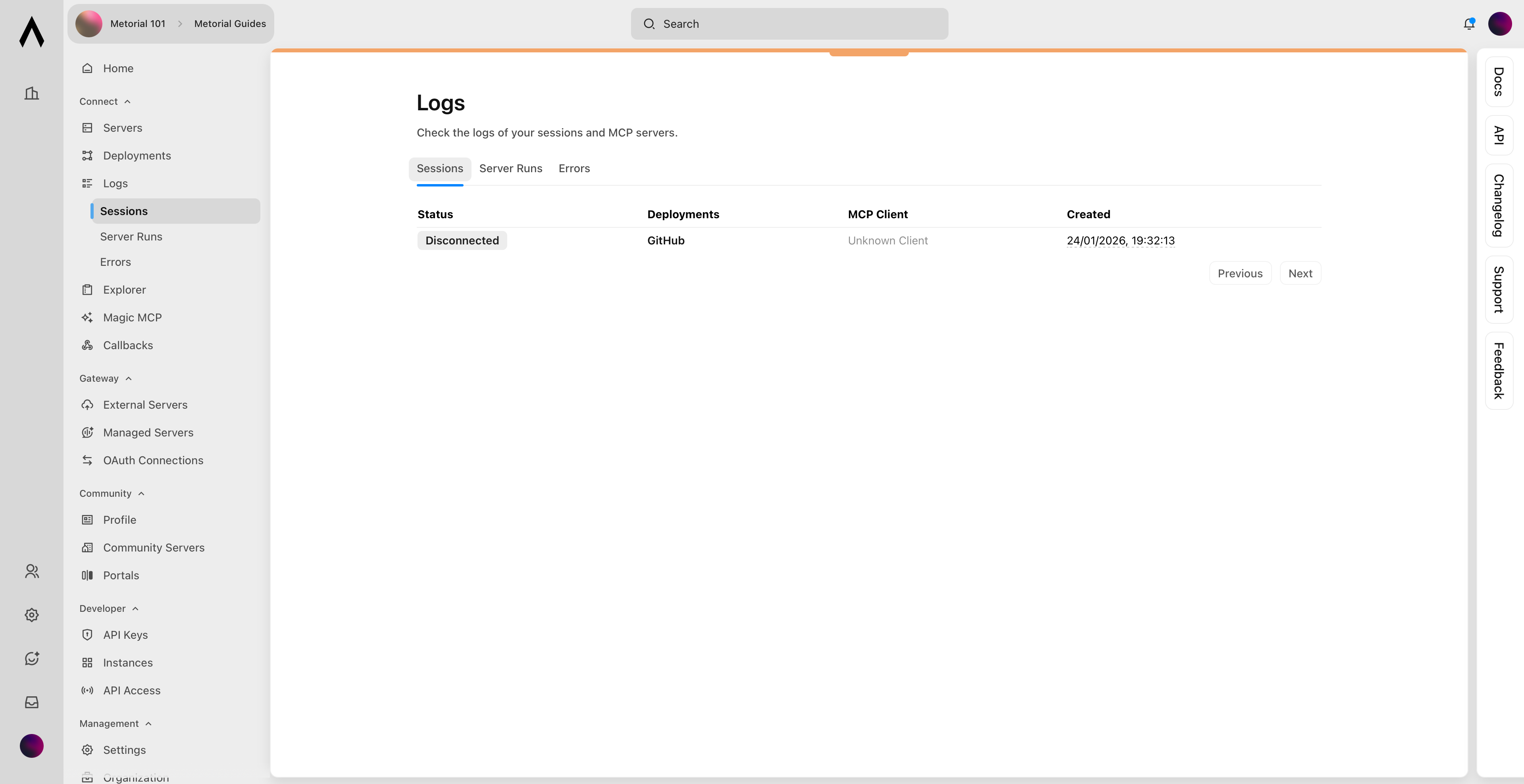
Session Logs
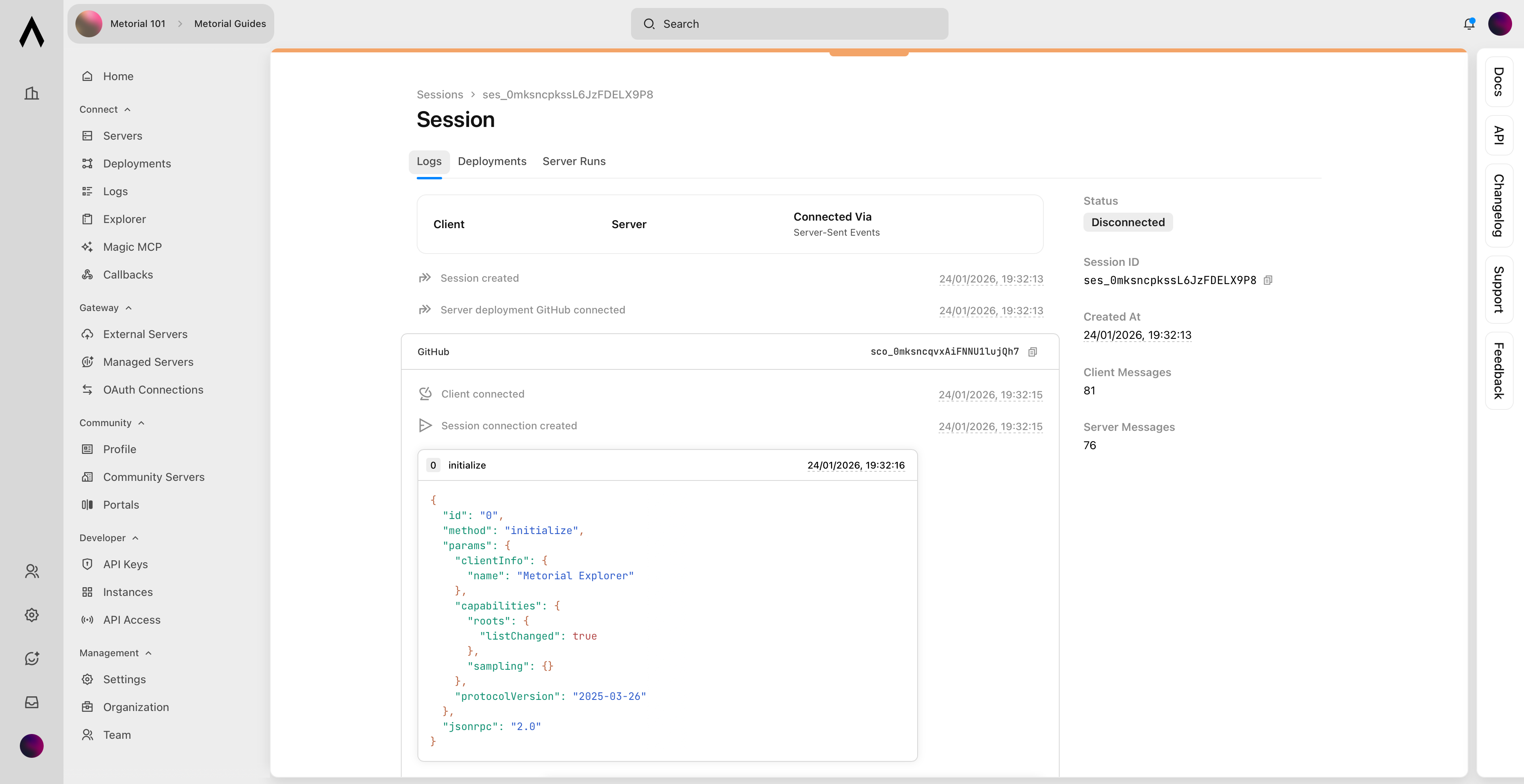
See details for each session:- Creation timestamp
- Deployments used
- Tool calls made
- Any errors
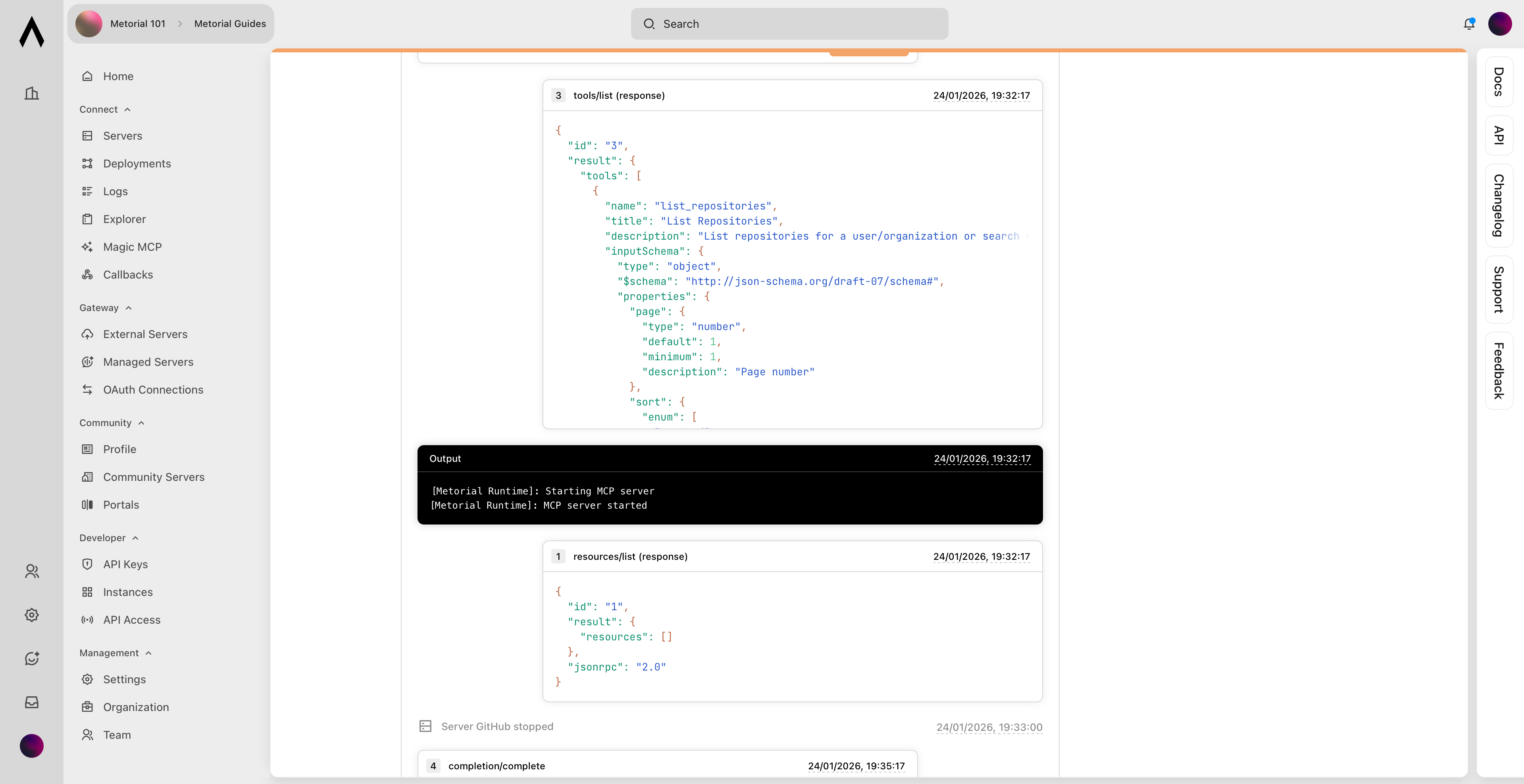
Tool Call Details
Expand individual tool calls to see:- Input parameters
- Response data
- Execution time
- Error messages (if any)
Debugging Common Issues
Authentication Errors
- Verify your API key is correct
- Check that OAuth tokens haven’t expired
- Ensure deployment ID is valid
Tool Execution Errors
- Verify tool parameters match the schema
- Check for rate limiting from external services
- Review error messages in logs
Getting HelpIf you can’t resolve an issue:
- Export relevant logs from the dashboard
- Note deployment IDs for affected deployments
- Contact support at support@metorial.com